TL;DR Browser-Based Digital Signage
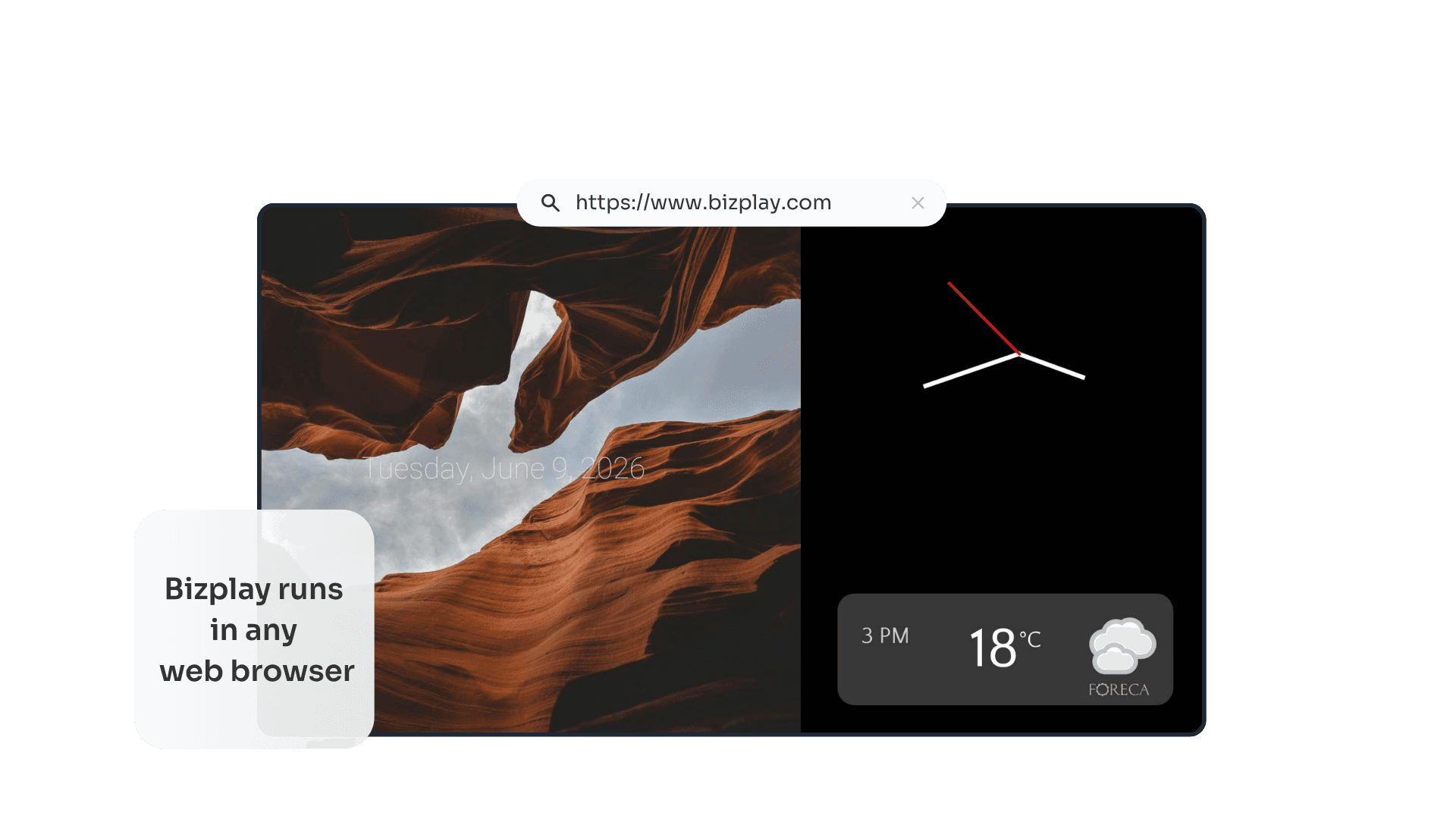
Browser-based digital signage means your content is created, managed, and displayed entirely through a standard web browser, no dedicated software required on the screen. Open a channel URL, and playback starts.
Managing: Done from any browser, on any device, anywhere. Just log in to your account.
Playback: Any screen with a browser can display your content
Can run on any device with a web browser, even as simple as a smart TV
Dedicated player = Better performance, the ability to have playback start automatically and -depending on the platform- remote control
Security: Acts like any user-operated web browser over HTTP(S). All content is pulled from the internet; you don’t have to make any firewall changes to enable content to be pushed from the internet to the players.
Updates: The latest version of the application is loaded every time the player starts. No need to install and maintain any vendor-specific software.
Do you want to get your digital signage running quickly, without hassle? There are a couple of important things you should know about browser-based digital signage.
With browser-based digital signage software, you open a URL in any web browser and your screen starts displaying content immediately. No app to install. No device to configure. No firewall rules to change.
This guide explains what browser-based digital signage is, how it compares to traditional digital signage, what its real limitations are, and how to decide which approach fits your situation.
What is browser-based digital signage?
Browser-based digital signage is a digital signage solution that allows you to create, manage, and display content entirely through a web browser.
There’s two sides to browser-based digital signage: the content management side and the playback side. Pure browser-based digital signage lets you do both: manage your content in a web browser and play your content in a web browser.
One of the biggest advantages of this is that you can do this on any device that runs a web browser, without having to install any vendor-specific software. That way you can manage your content from any computer or tablet from any location. And you can also play the content on anything, starting from a web browser simple smart TV.
With Bizplay, your entire workflow runs inside a browser: you create content, schedule playlists, and publish to screens - all from a cloud platform you log in to from any device. The display simply opens a channel URL and plays what you publish.
How does browser-based digital signage compare to traditional digital signage?
Traditional digital signage often requires a vendor-specific application to be installed on your computer in order to manage the content and a vendor-specific playback application in order to play the content.
This has several downsides. For instance, you can only manage the content from a computer on which you installed the software. If you need to make quick changes while you’re not behind that computer, then you’re out of luck.
Traditional digital signage solutions also like to push content from the internet to the playback devices. This requires firewalls to be opened up to this kind of traffic, which requires involvement of the IT management staff and poses a security risk.
On the player itself, you would also run vendor-specific software to display the content that you created. Any updates to the digital signage software (like new features or bug fixes) would require you to update the application on each playback devices. Of course, this can be especially cumbersome when you have multiple players spread over multiple locations.
Browser-based digital signage setup
Setting up digital signage is easier than you might think. With these steps you setup your own screen in minutes.
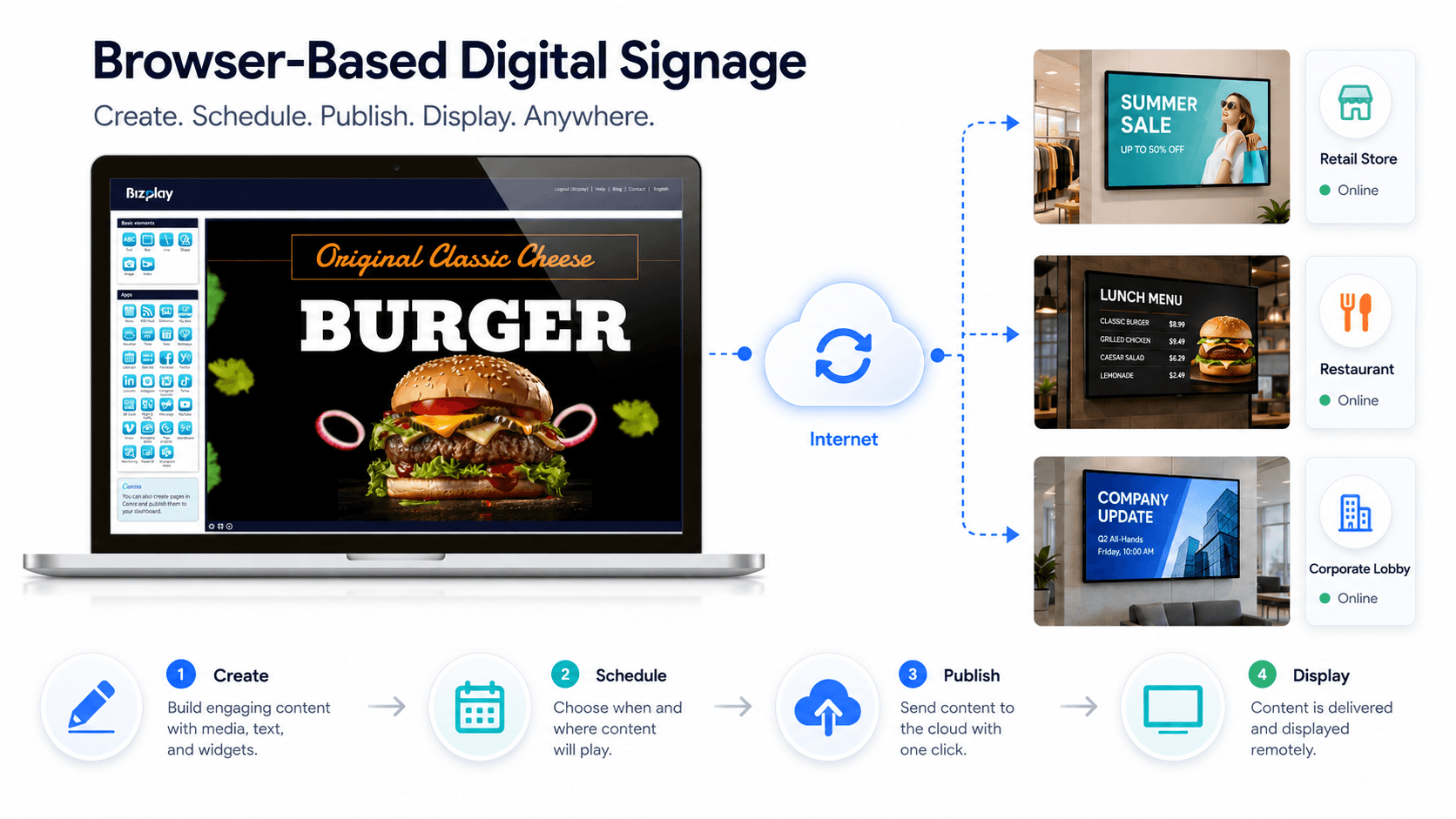
Create your content: Use Bizplay's built-in page designer and drag-and-drop images, text, video, social media feeds, weather widgets, and more.
Create a playlist: Drag your pages into a playlist and set the order and timing.
Publish to a channel: Bizplay generates a unique web address (URL) for your channel.
Open that URL on your screen: Enter it in the browser of your smart TV, laptop, or any connected display. Your content plays instantly.
Because everything runs through a browser, there's no software to install on the screen. Updates you make in Bizplay appear on your screens in real-time.
Benefits of Browser-Based Digital Signage
No software to install
You do not have to install dedicated software to run browser-based digital signage. Nothing is installed on the screen. The browser is already there; Bizplay runs inside it. No installation rights, no device enrollment, no dependency on your IT team approving new software.
No manual updates
Because Bizplay is cloud-based, updates happen in the dashboard, not on the device. When Bizplay adds a feature, it is immediately available the next time you log in. The only software that you might want to keep current on the screen itself is the browser, but that is almost never mandatory to still enjoy getting the latest features and bug fixes of the digital signage software.
Security: no firewall changes needed
This might be the most important benefit of web-based digital signage. Especially for organizations where security plays a big role. Traditional digital signage players often require you to open specific ports or whitelist device communication in your firewall configuration. Browser-based digital signage runs entirely over standard HTTP(S), the same protocol your browser uses for every website. You don’t need any changes to your firewall configuration, for instance.
Everything runs in the browser - creation, management, and playback
As we mentioned earlier, your content is designed in a browser. Your playlists and schedules are managed in a browser. Your screens play content through a browser. There is no separate desktop application to install, no proprietary client software, and no hardware-tied platform. Access your full dashboard simply by logging in, from your office computer, your phone, a hotel lobby, anywhere.
Works on any device with a web browser
Smart TV with a browser? ✅
Windows or Mac laptop? ✅
Tablet or iPad? ✅
Raspberry Pi? ✅
If it has a web browser, it can run Bizplay. That means you're not locked into specific hardware brands, and you can repurpose existing devices rather than buying new ones.
Scales without friction
Start with one screen in your reception area. Add more as you open new locations. Scaling browser-based digital signage simply means pointing more screens or media players at your channel URLs.
What are the real limitations of running digital signage in a TV Browser?
Browser-based digital signage is super flexible, but it's worth being clear about where it has limitations, especially when using a smart TV's built-in browser.
Entering a URL with a TV remote is cumbersome. On most smart TVs, you navigate to the browser, open a new tab, and type a long URL character by character using an on-screen keyboard and directional buttons. It is a one-time setup task, but it is not quick. Using a Bizplay short link or a QR code scanned from your phone can make it significantly easier.
Full-screen is not automatic. On almost any TV browser, the browser's address bar and navigation buttons remain visible. With Bizplay you can “click” on the web page to have it go to full screen, but that always requires this manual action.
Smart TV browsers aren't all equal. The capabilities of a smart TV browser vary greatly between brands and between models. Generally speaking, these browsers are not very good in handling “big content”, like (large) video files or many large images. But where one smart TV browser struggles with playing any video at all, another might play one or two of them just fine. So, when relying solely on a smart TV for signage, sticking with simple content is generally a good idea.
A dedicated player gives you more performance and control. When you need continuous, unattended, full-screen playback, particularly across multiple displays, a dedicated media player provides more reliable performance, configuration options like auto-start on power-up, and -depending on the platform- proper remote device management alongside your content management.
Smart TV browser (no player) vs. Dedicated Media Player
None of this means the browser approach is wrong. It's a great starting point, especially when you only plan to display static content. Just know what you're working with.
Smart TV Browser (no player) | Dedicated media player | |
|---|---|---|
Extra hardware needed | No, use your existing screen | Yes, Android player, Raspberry Pi or any similar |
Setup | Turning on the TV, Open UR | Install and configure the player |
Entering URL | Slow, TV remote + on-sceen keyboard | Done once via setup; auto-starts from then on |
Full-screen playback | Not guaranteed, varies by Smart TV and built-in browser | Enforced |
Performance | Varies by built-in browser | Consistent, built for continuous unattended playback |
Configuration options | Limited to browser settings | Full control; configure options depend on the type of player. |
Remote device management | Content managed remotely; Smart TV itself is not | Content managed remotely; device management depends on the player, if it is a commercial digital signage screen. |
Best for | Testing, quick start, static content | Reliable long-term deployments, multi-screen networds and advanced use cases. |
So, in short, when you already have a smart TV, you can always first try to see how well it works to use its built-in web browser for playing your digital signage content. And if you decide you want a more hassle-free, more performant and/or more reliable playback then you can always upgrade to a dedicated digital signage player.
Not sure which player is right for your setup? Read our in-depth expert guide to compare the best options and find the perfect that fits your setup and use case.
Browser-based Digital Signage Use Cases



Try Bizplay in Your Browser
Start displaying your own content in minutes. Create your content, publish to your screen, and experience how easy digital signage can be.
What is browser-based digital signage software?
Do I need to install anything on my screen?
Which devices work with browser-based digital signage?
Can I manage multiple screens from one account?
What happens if the internet goes down?
SHARE ON SOCIAL MEDIA